
Node.js Tutorial
Simply put, Node.js is JavaScript that runs on the server.
Node.js is a platform built on Chrome’s JavaScript runtime.
Node.js is an event-driven I/O server-side JavaScript environment based on Google’s V8 engine. V8 executes JavaScript very quickly and performs well.
Who is this tutorial for?
If you are a frontend developer who does not know dynamic languages such as PHP, Python, or Ruby, and you want to build your own services, Node.js is a great choice.
Node.js is server-side JavaScript — if you already know JavaScript, you can learn Node.js quickly.
If you are a backend developer and want to deploy high-performance services, learning Node.js is also a strong option.
Prerequisites
Before you continue, you should know some basic programming concepts. Experience with JavaScript, PHP, Java, or similar languages will help you pick up Node.js faster.
Version used
You can check your current Node version with:
$ node -v
v4.4.3
TIP
Behavior can differ across versions.
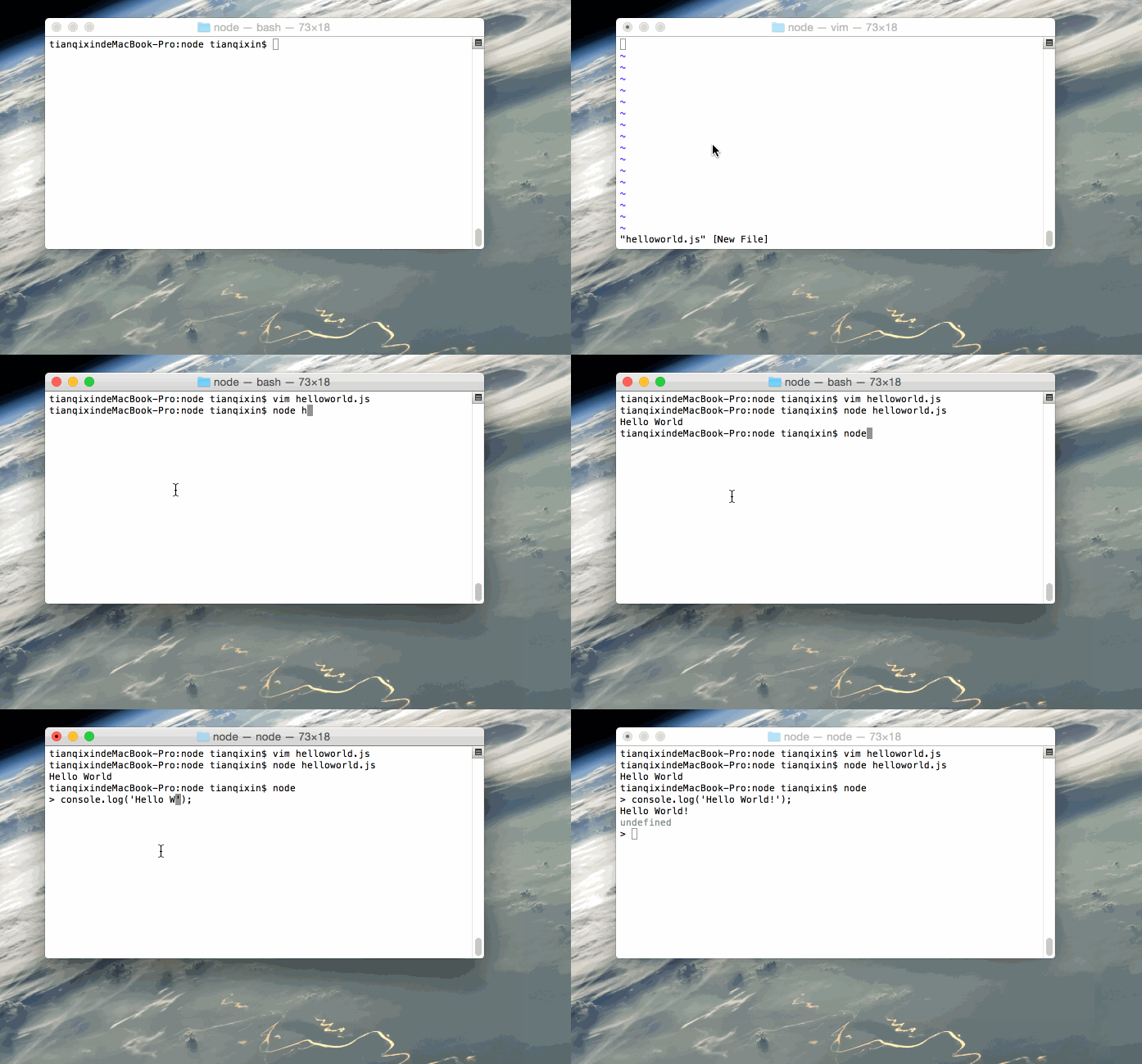
First Node.js program: Hello World!
Script mode
Here is our first Node.js program:
console.log("Hello World");Save the file as helloworld.js and run it with the node command:
node helloworld.jsWhen the program runs successfully, the terminal prints Hello World.
Interactive mode
Open a terminal, type node to enter the interactive REPL, then enter a statement to run it immediately, for example:
$ node
> console.log('Hello World!');
Hello World!
GIF walkthrough
The following GIF demonstrates the steps:
Next: Node.js Installation